
Khan Academy Kids
Khan AcademyEducation
4.66.43K Reviews
- Version
- 9.0.3
- Installs
- 10.00M
- Age Rating
- Everyone
Screenshots
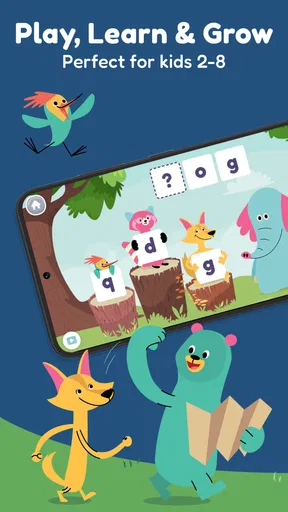
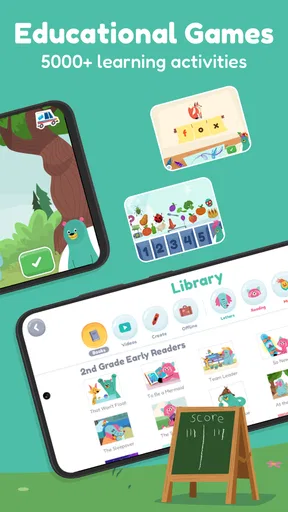
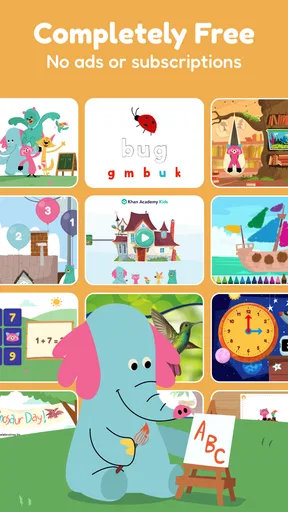
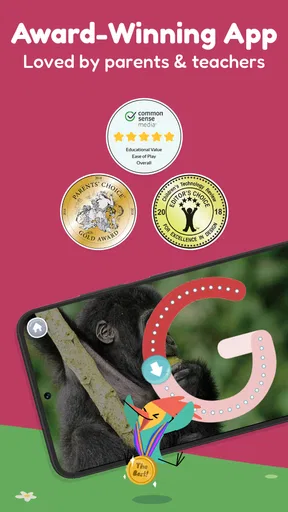
Our Review of Khan Academy Kids
 Analysis by Appyee
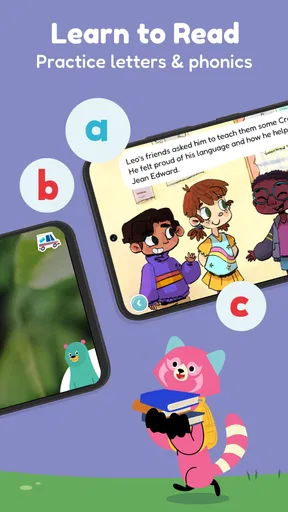
I found Khan Academy Kids most useful when I treated it as a calm, guided learning tool rather than a digital babysitter. It is an education app from Khan Academy for children from age two through eight, and its focus on reading, math, and phonics makes its purpose easy to understand. After spending time with it, I would recommend it to parents who want a free way to add short learning moments to a child’s day without filling the screen with advertising or subscription prompts.
The important word is “short.” Young children usually get more from a few focused minutes than from being left to wander through a large library. This app works best when an adult helps choose an activity, watches for signs of frustration, and then lets the child try independently. I also like that the experience feels more like a collection of small lessons and activities than a traditional course that demands a long sitting.
How Khan Academy Kids feels in everyday use
My first impression was that the app is approachable for early learners. The activities are designed around simple interactions, visual guidance, and practice that can be repeated. That matters for children who are still learning how to follow instructions on a touchscreen. A child does not need to understand a complicated menu system before getting started, although younger users will still benefit from an adult nearby.
The app is free, and that changes how I would use it. There is no need to plan around a trial ending or decide whether another month of access is worth the cost. The store summary also emphasizes that there are no ads and no subscriptions. For a family device, that is a meaningful advantage: the child’s attention stays on the activity instead of being interrupted by commercial material or a purchase screen.
Khan Academy is the developer, and the app has built a substantial audience on mobile. It carries an average rating of 4.6 from roughly fifty-seven thousand ratings, with more than ten million installs. Those figures do not replace personal testing, but they do suggest that the app has become a familiar choice for many families looking for early education content.
Speed expectations on ordinary devices
I would set realistic expectations about speed. This is an app for children, so the most important performance test is not whether every screen appears instantly; it is whether a child can move from one activity to the next without constant confusion or waiting. In normal use, the simple lesson format helps keep the experience feeling manageable. Activities are generally easier to approach than a large, crowded educational portal.
Perceived speed can still depend on the phone or tablet. A newer device will usually feel more comfortable when moving between activities, while an older device may make transitions feel less immediate. The minimum operating-system requirement is Android 6.0, so compatibility reaches back to older Android hardware, but compatibility alone does not guarantee a smooth experience on every model. Storage condition, background apps, and the age of the processor can all affect how pleasant the app feels.
One practical tip is to open the app before handing the device to a child. That gives you a chance to check that the lesson is ready and avoids turning the first minute of learning into a wait. It also lets you close unrelated apps, which can help an older tablet feel less strained. I prefer this small preparation step to giving a child a device that is still busy updating or recovering from another task.
What happens during heavier use
The most demanding moments are likely to be less about a single difficult lesson and more about a long session with repeated activity changes. Children often tap quickly, revisit favorite material, and move through several screens in a row. If a device has limited resources, that pattern can expose delays sooner than a parent’s brief test would.
For that reason, I would not judge the app only by opening it once. Let your child use it in the way they actually will: changing activities, returning to a previous exercise, and continuing for a reasonable learning session. If the device begins to feel warm, sluggish, or crowded with other apps, shorten the session and restart the device later. That is not a special flaw unique to this app; it is a sensible routine for older hardware used by young children.
A second useful workflow is to make the app part of a broader routine rather than the entire routine. For example, a child might complete a phonics activity, say the sounds aloud with a parent, and then look for the same sound in a picture book. This reduces the pressure on the app to provide endless screen time and turns a digital exercise into something the child can use away from the device.
I also found that adult selection matters during heavier use. A child who repeatedly chooses only familiar activities may stay entertained without making much progress in a weaker area. Choosing one comfortable activity and one slightly more challenging activity creates a better balance. The app can support practice, but it cannot replace a parent noticing whether the child is guessing, understanding, or simply tapping through.
Reliability and recovering from interruptions
For a young child, reliability means more than avoiding a crash. It means the child can understand what to do after a pause, a mistaken tap, or an interruption. This is where a guided educational design has an advantage over a general video app. The child is returning to an activity with a learning purpose rather than trying to remember where a long video stopped.
Still, I would not hand over a device during an important transition without checking it first. Incoming notifications, a low battery, or another app opening in front of the lesson can break a child’s concentration. A parent-controlled setup is more dependable than assuming the learning session will remain untouched. Turning off unnecessary interruptions and keeping the device charged are simple steps that make the experience feel much more stable.
If something does interrupt the session, I recommend calmly reopening the app and starting with a familiar activity. That gives the child an easy return point instead of immediately presenting a difficult exercise. Young learners can interpret a technical interruption as personal failure, so the adult’s response matters. A short reset is often better than pushing through visible frustration.
The app’s age range also creates a reliability challenge that is not technical. A two-year-old and an eight-year-old have very different reading skills, attention spans, and expectations. Parents should expect to guide the youngest users more closely. Older children may manage more independently, but they can still benefit from occasional check-ins so that the app remains purposeful instead of becoming another source of passive screen use.
Device limits, operating system, and resource demands
Khan Academy Kids supports Android devices running Android 6.0 or later. That makes it available to families using older phones and tablets, which is helpful when a child has a hand-me-down device. However, an older operating system is only one part of the picture. A device with very little free storage, a tired battery, or many background applications may provide a less comfortable experience even when it meets the operating-system requirement.
I would choose a tablet with a screen large enough for a child to see illustrations and touch targets easily, but I would not assume that a bigger device is automatically better. A very old tablet can be less responsive than a newer phone. The best choice is the device that the child can hold safely, that responds consistently to taps, and that does not become a source of constant loading or interruptions.
Families sharing one device should also think about timing. If another person needs the tablet for video calls, schoolwork, or games, the child’s learning session may be interrupted by ordinary household use. A short planned window works better than promising unlimited access. It also makes it easier to observe whether the device remains responsive after other demanding apps have been used.
Because the app is rated for Everyone, I see it as suitable for a broad family audience, but that rating should not be confused with automatic independence. It describes the general appropriateness of the content, not whether every child can navigate it alone. Parents should still decide when the child uses the app, how long sessions last, and whether the activities match the child’s current abilities.
Where it beats familiar alternatives
Compared with children’s video platforms, this app gives the child something to do rather than something merely to watch. That difference is especially useful when a parent wants practice with early reading or math instead of background entertainment. A video can demonstrate a concept, but an interactive activity gives the child a chance to respond, make a mistake, and try again.
Compared with paid preschool learning services, the free model is its clearest strength. A family can try it without making a financial commitment, and the lack of ads and subscriptions makes it easier to recommend for regular home use. Paid alternatives may offer different teaching styles, specialized programs, or more structured progress systems, so they can be preferable for families who want a tightly sequenced curriculum or a particular subject focus.
Compared with paper workbooks, Khan Academy Kids is more inviting for children who resist pencil-and-paper practice. It can provide variety and immediate interaction, while a workbook remains better for handwriting, drawing, and learning to work away from a screen. I would use the app as one part of a mixed routine, not as a replacement for books, conversation, physical play, or hands-on counting.
Another trade-off is parental visibility. A workbook leaves a physical record that is easy to inspect. With an app, parents need to sit with the child sometimes and listen to the answers. If you want a clear stack of completed pages, a traditional workbook may feel more concrete. If your child needs encouragement to begin, the app may be the easier entry point.
Specific ways I would use it at home
One realistic scenario is the period after school or daycare, when a child needs a quiet transition before dinner. I would choose a short reading or phonics activity, sit close enough to help with instructions, and stop while the child is still engaged. Afterward, I might ask the child to find a matching sound in a storybook or name objects that begin with it. This turns the app into a bridge between screen practice and ordinary language.
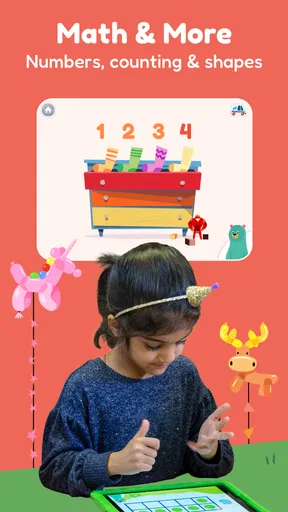
For math, I would use it before a real-world activity rather than in isolation. A brief session can lead into sorting laundry by color, counting pieces of fruit, or comparing which group has more items. The app is useful for introducing a concept, but everyday objects give the child a chance to understand that the idea exists beyond the screen.
A less obvious benefit is that the app can help parents identify what kind of support a child needs. Watch how the child responds to an activity: do they understand the question but struggle with touch control, or do they tap randomly because the concept is unclear? Those are different problems. If the issue is touch control, a larger device or slower guidance may help. If the issue is understanding, pause the app and explain the idea with toys or drawings.
I would also avoid using the app as a reward for every unrelated behavior. When every activity becomes a prize, the child may focus on access rather than learning. A predictable routine, such as a short session after reading together, gives the app a clearer role and makes it easier to stop without an argument.
Who should choose it and who should skip it
This is a strong fit for parents of young children who want accessible practice in early reading, phonics, and math. It is particularly appealing if you need a no-cost option, use an Android device that is not new, or want to avoid advertisements and recurring payments. Families that prefer a child-friendly learning app over passive video will probably get the most from it.
I would be more cautious if your child needs a highly individualized program, formal assessment, or specialist support. An app can reinforce learning, but it cannot observe a child as carefully as a teacher, tutor, or therapist. It is also not the best choice for a child who becomes overstimulated by screen activities or who needs constant physical interaction to stay engaged.
Older children near the upper end of the age range may outgrow the style of the activities, especially if they are already working beyond basic reading and early math. In that situation, a more advanced learning platform or school-directed resource may be a better match. The right question is not whether the app is good in general, but whether its level still challenges your child without making the session discouraging.
My performance verdict
In performance terms, I see Khan Academy Kids as a practical, low-pressure learning companion rather than a demanding all-day platform. Its small activities make speed easier to manage, and its free, ad-free approach removes two common sources of friction for families. On a reasonably maintained device, I would expect it to feel comfortable for short sessions, while older or heavily loaded hardware may need more preparation and patience.
The current version is 9.0.1, and the app was released on July 10, 2018, so it is an established product rather than a brand-new experiment. I would still keep expectations realistic: no educational app can guarantee progress simply by being installed. The strongest results come when a parent chooses an appropriate activity, stays available for questions, and connects the lesson to books, conversation, and real objects.
My final recommendation is positive, with one condition: use it intentionally. Khan Academy Kids is at its best when it supports a short, supervised learning habit instead of replacing interaction with an adult. If that matches what you need, the combination of early education content, broad device compatibility, and no subscription cost makes it an easy app to try. If you are looking for formal instruction, advanced material, or a complete substitute for teaching, you should choose a more specialized option instead.
Privacy and Permissions
See what permissions an app requests and how it handles your data.
- Photos/Media/Files
- read the contents of your USB storage, modify or delete the contents of your USB storage
- Storage
- read the contents of your USB storage, modify or delete the contents of your USB storage
- Camera
- take pictures and videos
- Microphone
- record audio
- Other
- view network connections, full network access, prevent device from sleeping, install shortcuts, uninstall shortcuts
Verdict
Strengths of Khan Academy Kids
- Free access with no ads, subscriptions, or in-app purchases.
- Playful activities help young children practice reading, math, and creativity.
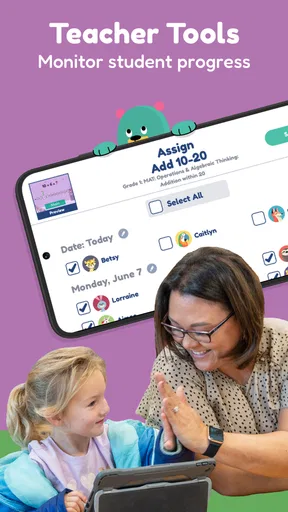
- Progress tracking lets parents monitor learning and completed activities.
- Works offline after content is downloaded for convenient travel use.
- Supports multiple child profiles with personalized learning paths.
Limitations of Khan Academy Kids
- Designed mainly for younger children, limiting its usefulness for older learners.
- Some activities may feel repetitive after extended use.
- Requires significant storage space for downloaded lessons and media.
- Parent setup and account features can take time to configure.
- Limited content variety compared with broader school-age learning platforms.
Other Releases by Khan Academy
View All
Khan Academy
Education4.1
Similar Picks in This Category
View All
Duolingo: Language Lessons
Duolingo4.7

Google Classroom
Google LLC2.8

Unacademy: Learn & Crack Exams
Unacademy3.2

Bible App for Kids
Life.Church4.4

Cake - Learn English & Korean
Cake Corp.4.7

Brainly: AI Homework Helper
Brainly4.5
Frequently Asked Questions
What is Khan Academy Kids, and what age group is it designed for?
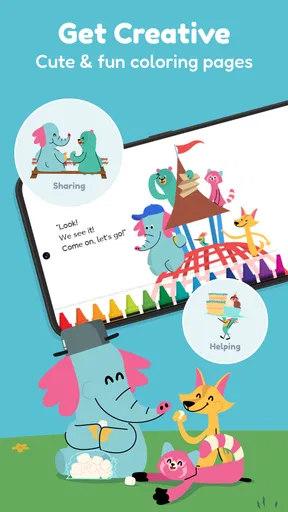
Khan Academy Kids is an educational learning app aimed primarily at preschool and early elementary children, generally from ages 2 to 8. It offers interactive lessons, stories, games, drawing activities, and basic exercises covering reading, writing, mathematics, language, and social-emotional development. The content is designed for young learners, although parents should still check the recommended level to ensure activities match their child’s abilities.
Is Khan Academy Kids free to download and use?
Yes, Khan Academy Kids is generally available to download and use without a subscription fee. Its core educational activities, books, lessons, and learning tools are provided free of charge, which makes it appealing for families looking for structured educational content without recurring costs. Availability and specific features can vary by platform or region, so it is still worth checking the current Google Play Store or App Store listing before downloading.
Does Khan Academy Kids require an internet connection?
An internet connection is usually needed for downloading the app, setting up profiles, receiving updates, and accessing or downloading some content. After lessons and books have been made available on the device, children may be able to use portions of the app offline. Offline access can vary depending on the activity and device, so parents should open the app while connected to the internet before traveling or using it in a location with limited connectivity.
Is Khan Academy Kids safe and suitable for children?
Khan Academy Kids is designed specifically for young children and provides a controlled educational environment with age-appropriate activities. It does not function like an open social network, and the learning experience is generally focused on lessons, stories, and games rather than public interaction. Parents should still supervise younger children, review device permissions, configure parental controls, and monitor screen time, since no educational app should replace active adult guidance.
What subjects and learning activities are included in Khan Academy Kids?
The app includes activities in early reading, phonics, vocabulary, writing, mathematics, counting, shapes, problem-solving, and social-emotional learning. Children can also explore digital books, songs, drawing exercises, animated lessons, and reward-based progress activities. The learning path adapts to a child’s progress to some extent, but parents should view the app as a supplement to school, play, and hands-on learning rather than a complete replacement for teaching.
